

Your Flow
Unleashed
Improve the capabilities of your Flow waterjet machine with IGEMS' industry-leading CAD/CAM software designed specifically for waterjets.
8 reasons why you should pick IGEMS CAD/CAM
1. Superior Nesting Capabilities
Market-leading nesting algorithms maximize material usage, directly reducing material costs and improving profitability.
2. Advanced Toolpath Optimization
Automatically generates the most efficient toolpaths, which can reduce cutting time and machine time.
3. Comprehensive 3D and Multi-Axis Support
Supports 1-axis to 6-axis bevel cutting on rotation axes, providing extreme flexibility and opening new machining possibilities.
4. Camera systems
Addresses setup time pain points with precise material positioning, remnant utilization, reduced waste, and operator confidence through accurate visual material placement.
5. Modern, Intuitive Interface
AutoCAD-inspired interface provides better visualization, real-time path simulation, and smoother workflow, reducing training time and errors.
6. Specific stone cutting features
Dedicated stone industry module with specialized tile nesting, inlay commands, and pattern matching for countertop cutting - purpose-built for stone fabricators.
7. Broader file compatibility
Supports extensive file formats including legacy DXF versions, STEP/IGES 3D files, images, and specialized stone industry formats for maximum workflow flexibility.
8. Ongoing updates and support
IGEMS offers excellent support and frequent updates, keeping your waterjet cutting machine current and competitive long-term.
Save 14% on every nest *
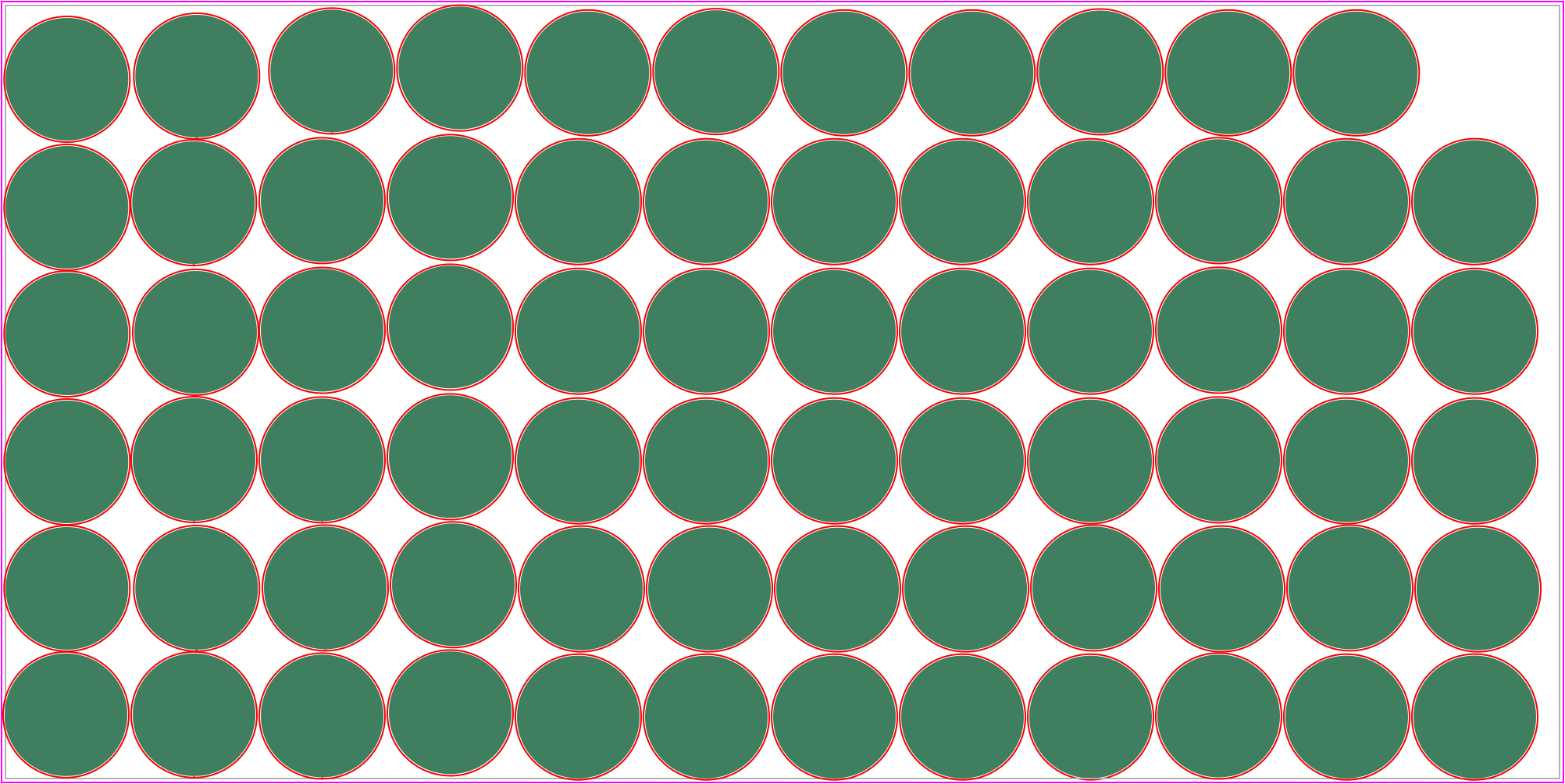
In this example, our Autonest feature saves you about 172 sheets per year. When you use IGEMS toolpathing commands like CircleCut or CommonCut, your cutting efficiency dramatically improves. This same example shows IGEMS cutting 10 additional parts in 26 minutes less time, all while using the same cutting parameters set on the flow controller.
Learn more about nesting71 parts - Flownest 8
2h 11m - Cut time
81 parts - IGEMS CAD/CAM 2025
1h 45min - Cut time
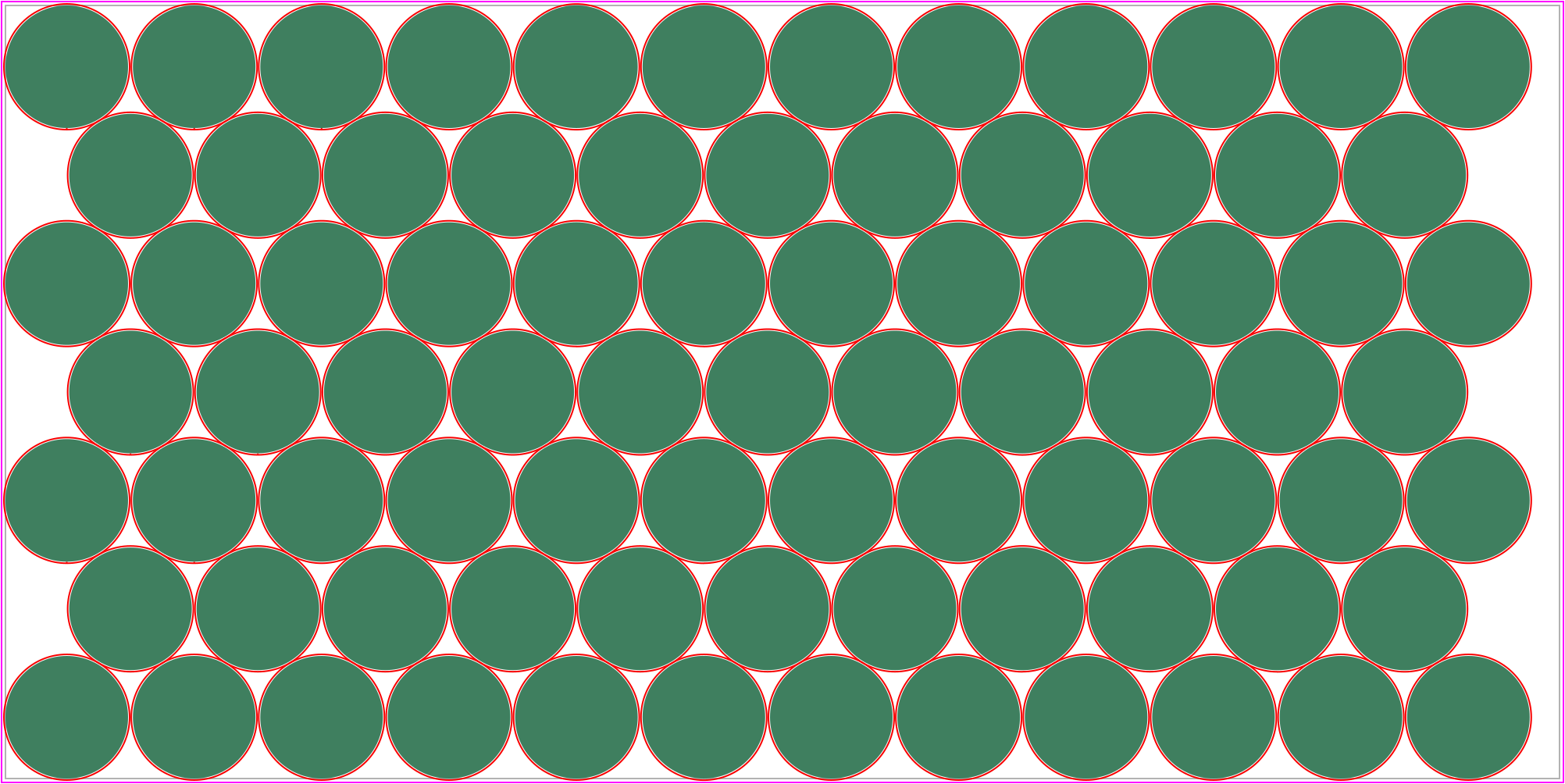
10 parts/sheet * 7 sheets/day * 200 days/year = 14000 parts/year or 172 sheets/year.
* This value refers to the specific example above. The value will vary depending on the nesting conditions.IGEMS Nest Calculator
See how much you could save by switching from FlowPath to IGEMS CAD/CAM. Our advanced nesting algorithms deliver substantial material savings compared to FlowNest.
Trusted by design teams at
Full 3D CAM
Want to cut more than just flat material? We've got your back! IGEMS CAD/CAM cover anything from 1 to 6 axes with bevels on a rotation axis. Use our automatic one click CAM features for simple parts and the detailed, customizable CAM functions for programming complex 3D models. - Like the helmet below.
Make fixtures with ease
With our fixture tool in the 3D environment you can easily make custom fixtures like the one in the video above. It adapts to your 3D model and is easy to assemble.
 Snapshot
Camera for part placement
Anyone operating a CNC machine knows the time it takes setting up the material properly. Making sure your parts will fit the material and more importantly, making the machine start in the right position.
Our vision features does just that for you. With a calibrated GigE camera, you can place material on your machine table and import a top view image of it into IGEMS CAD/CAM. The image will be adjusted and scaled into 1:1 and you can easily place parts on the material on the image.
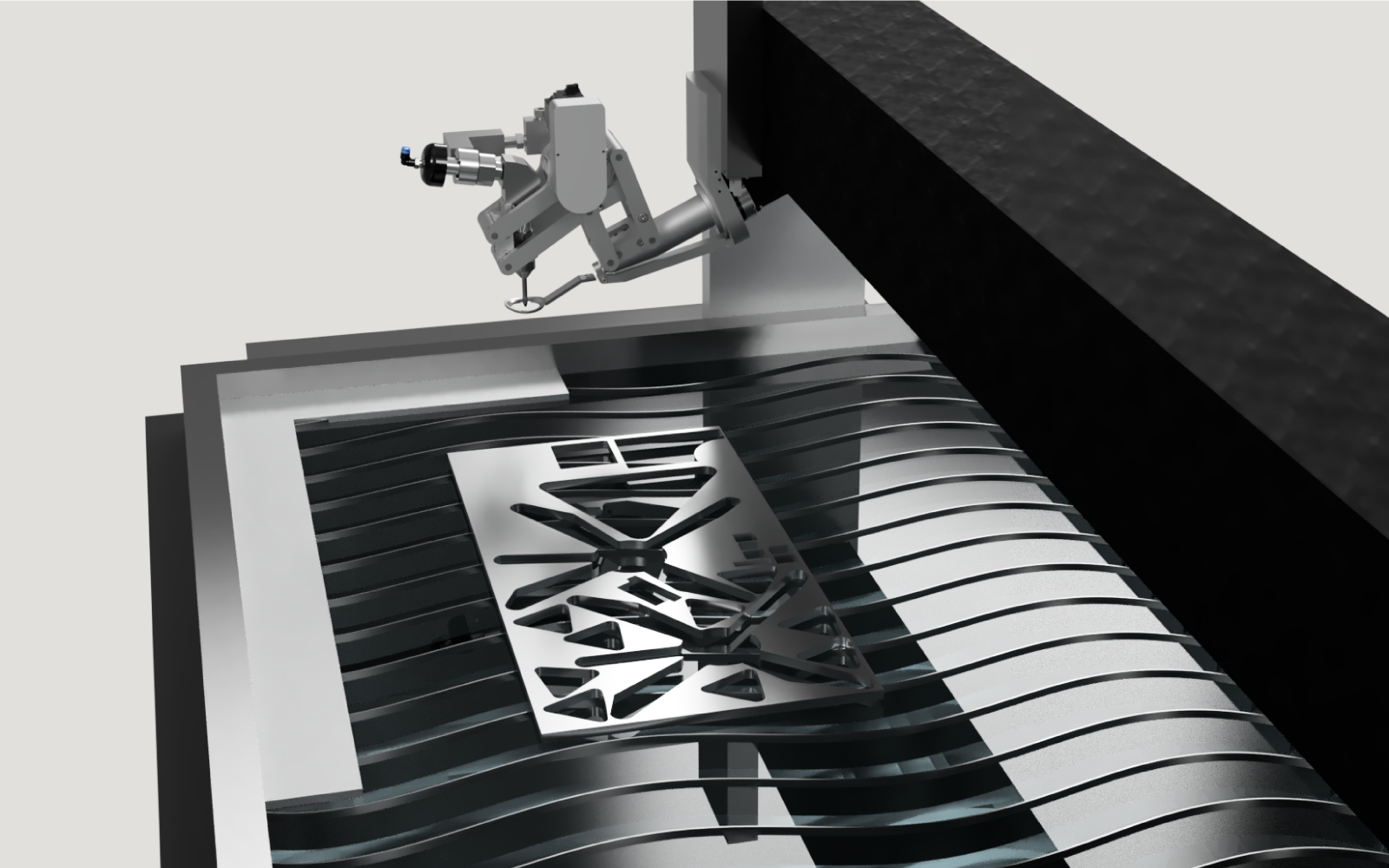 Photograph your material on the table from IGEMS CAD/CAM.
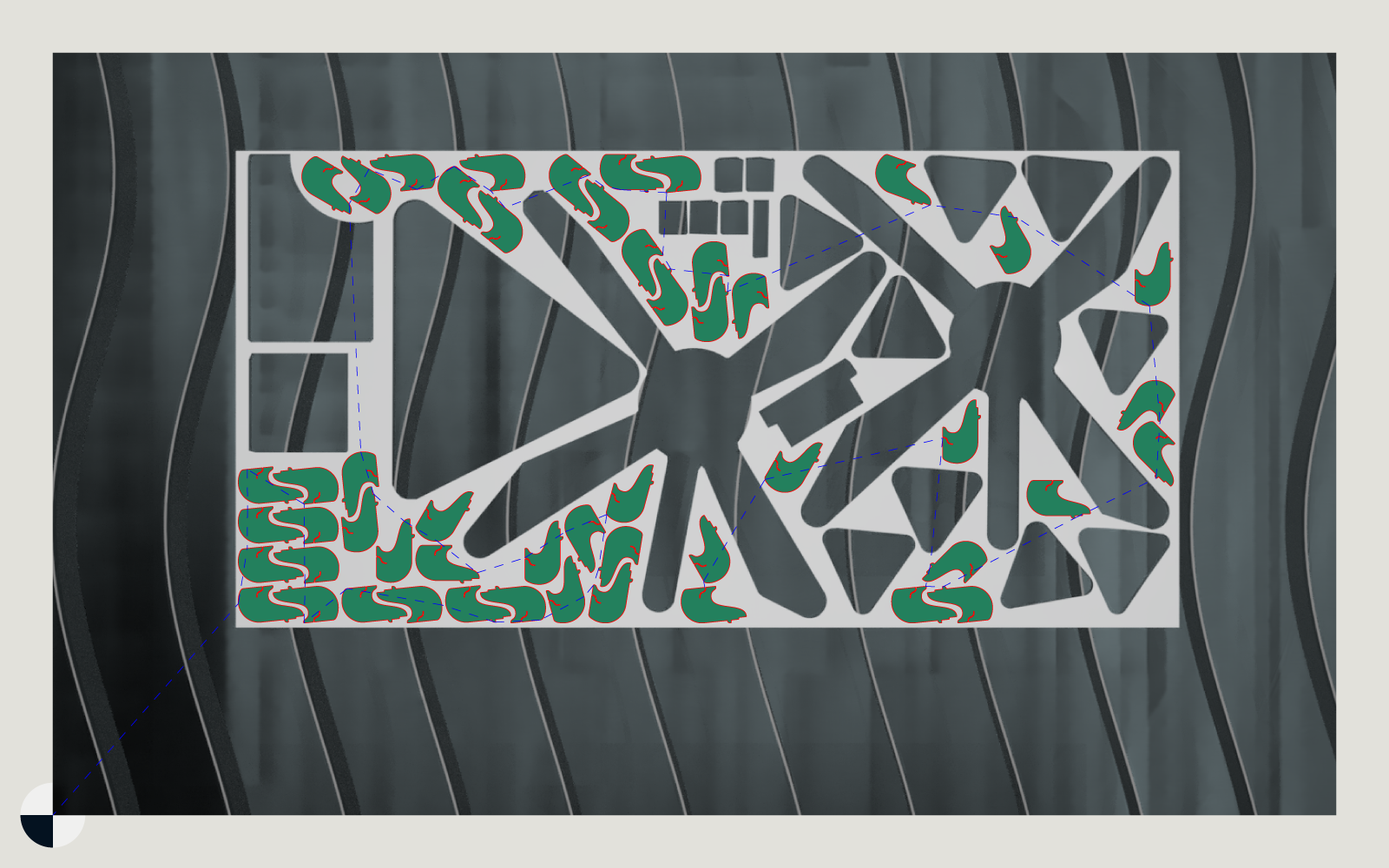 A calibrated photo is inserted which you can place parts on.
As illustrated above, a remnant sheet is placed on the table somewhere in the calibrated area. It's then photographed with the GigE camera and imported to IGEMS CAD/CAM with just one click.
How flow waterjets work with IGEMS CAD/CAM
On tool programming
In on tool waterjet cutting, the machine controller acts as the "brain" of the operation. Your CAD/CAM software simply sends the basic shape geometry to the waterjet machine. The controller then takes over, automatically calculating cutting speeds, pierce delays, lead-ins, and kerf compensation based on material thickness and type.
This means that you still have the control of material selection and cutting parameters on you controller. Leaving little to no change on the machine side while gaining lots of efficiency and productivity from IGEMS CAD/CAM.
Example code from IGEMS CAD/CAM (no G-code)
- 9.4704, 0.1254, 0.0000, 0, 0, 0, 0
- 9.4704, 0.0260, 0.0000, 0, 20, 0, -1
- 8.5166, 0.0260, 0.0000, 0, 20, 0, 2
- 8.3666, 1.4280, 0.0000, 0, 20, 0, 2
- 8.0162, 0.0260, 0.0000, 0, 20, 0, 2
- 7.1227, 0.0260, 0.0000, 0, 20, 0, 2
- 6.8253, 1.4157, 0.0000, 0, 20, 0, 2
- 6.6734, 0.0260, 0.0000, 0, 20, 0, 2
- 3.8977, 0.0260, 0.0000, 0, 20, 0, 2
 Inlay
InlayTools for stone cutting
When designs get more intricate, like a beautiful marble floor with flowers and decorations, you need a tool like Inlay. It helps you map up all your pieces and assigns an id to each and everyone of them. You can also assign different textures to each piece and Inlay will automatically create a powerful nest for each texture.
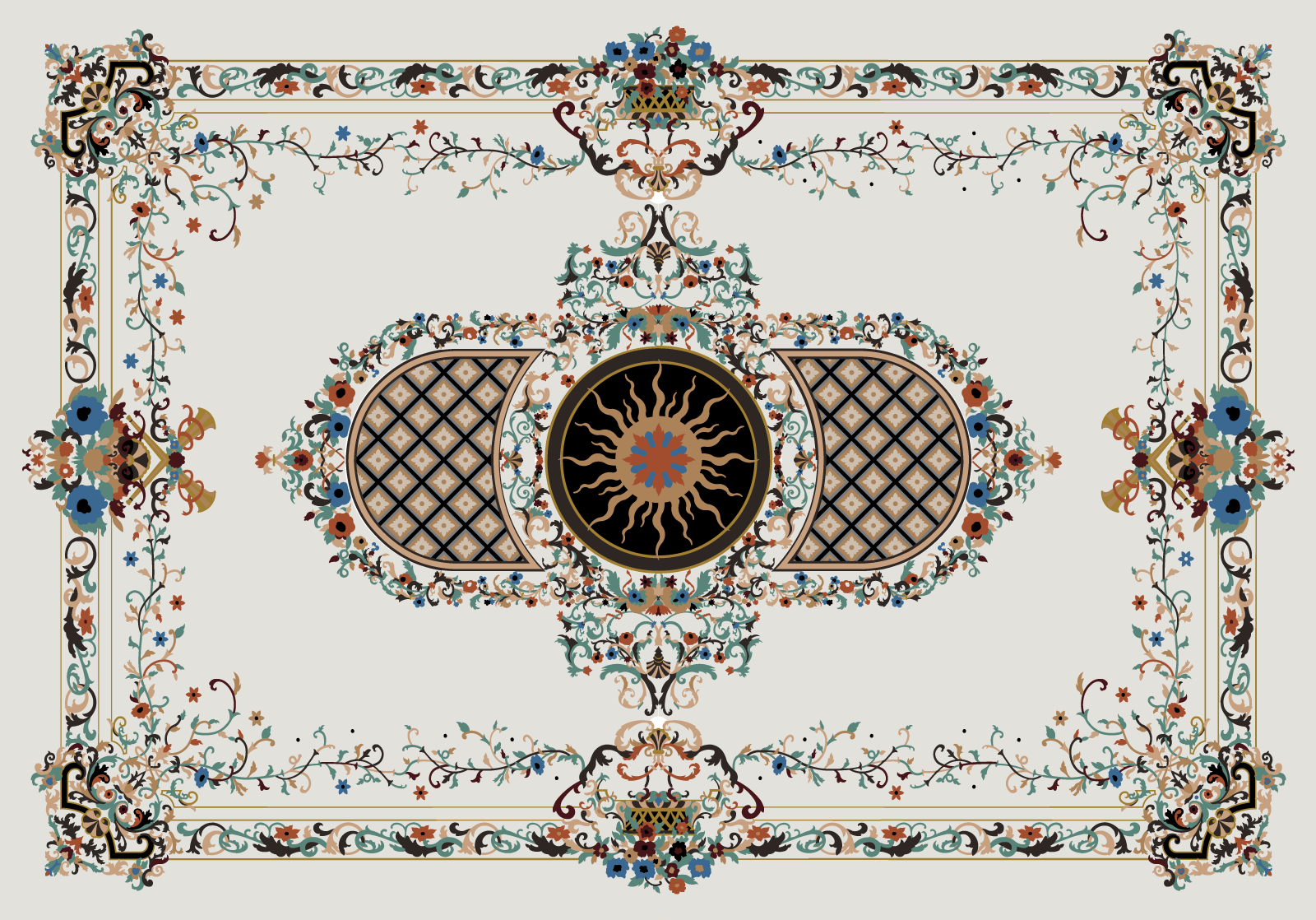 Floor inlay design for a customer project from Sidora.
Import the files you need
IGEMS CAD/CAM have support for a wide array of file types, such as .dxf, .dwg, .ord, .pdf, .svg and many more. You can even import images directly onto the drawing. Making it easy to tackle even the most demanding (and sometimes difficult) customers.